Trees / Link tree nodes to matching segments
Used when a child node has been created to the hierarchy because the segment doesn't yet exist (on the right panel of tree).
Once the segment does exist you can link it to the child node you created.
For example: Three new child nodes have been created, MAGIQ Test 1, MAGIQ Test 2 and MAGIQ Test 3.
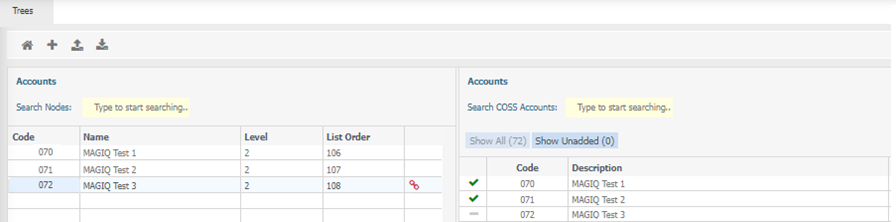
Segments have also been created, but they are not linked, as indicated by:
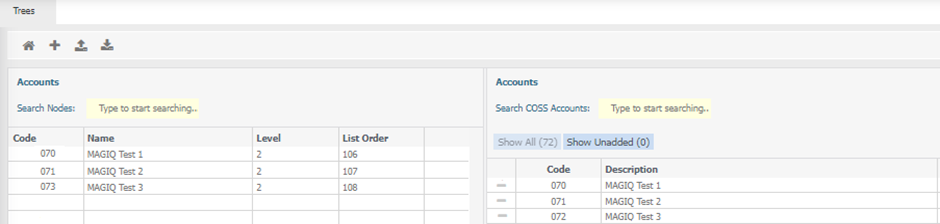
Using 'Link tree nodes to matching segments' will complete the relevant linkages. Using the example above, the note for child node is 073 and the segment code is 72, therefore the link will not happen.
Changing the child node code to match the segment code will display a link  .
.
Sorting
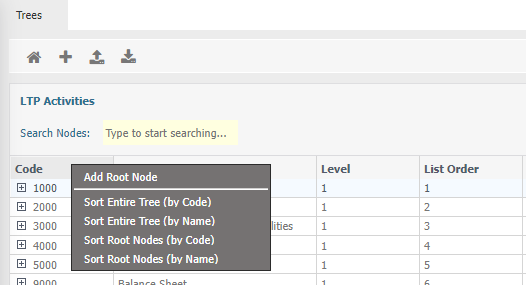
Right click on the heading of 'Code' you are presented with the menu options of:
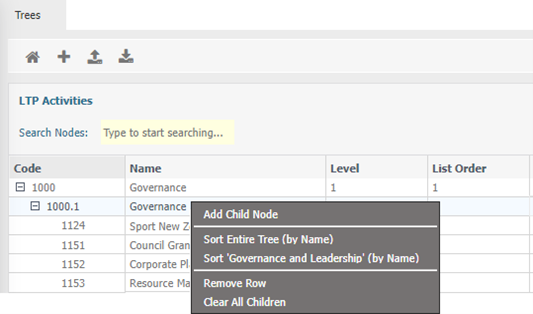
Right click on a parent node and you are presented with the menu options of:
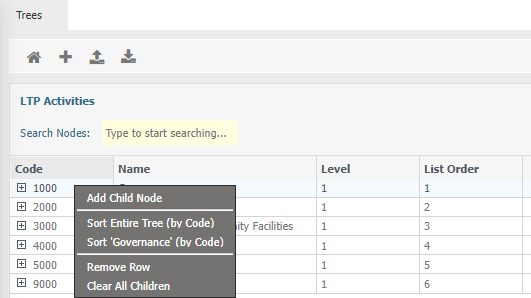
Alternatively, right clicking on the node name displays
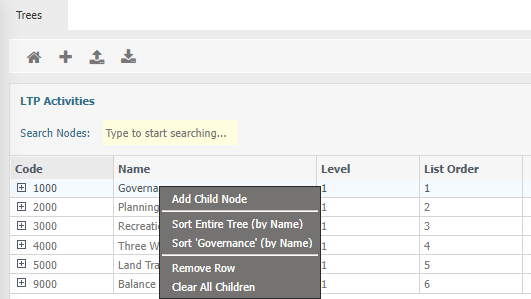
To sort child nodes, right click on the parent node