Introduction to Trees
Trees are used to create the hierarchy in the navigation window for your accounts in your system.
Sometimes Trees can automatically distinguish different Trees from your software based on the way you have set up your accounts. But if this is not possible, or you want to change the way that the Trees are created, then you can use Trees to do this.
 Add New Tree.
 Load Trees.
 Import settings.
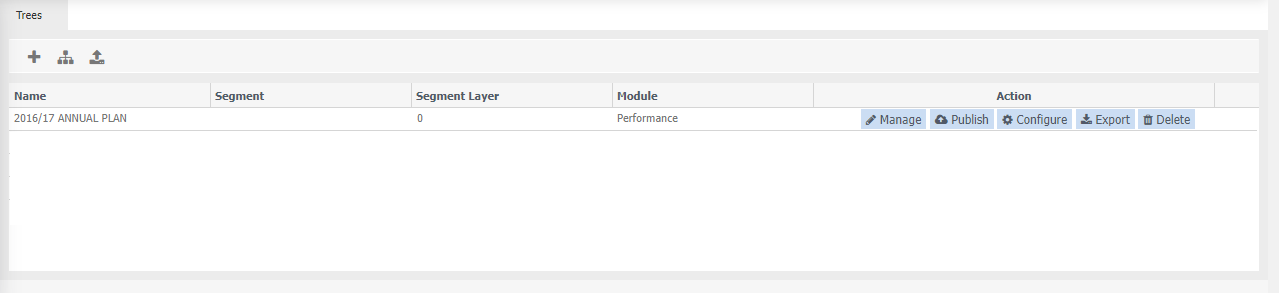
Name Name that describes the tree.
Segment This is determined when the tree is created.
Segment Layer maximum number of layers the tree has. This is determined when the tree is created.
Module which module the tree belongs too, for example, Performance. This is determined when the tree is created.
Action: the following actions to be done:
- Manage - Load tree to change/manage.
- Publish - Make a change and save, then have to publish otherwise changes will not be seen.
- Configure - Specify the attributes of each row/segment and link matching segments.
- Export - export the tree to make changes.
- Delete - delete the tree.