Trees / Create
Create a new Tree
-
Click

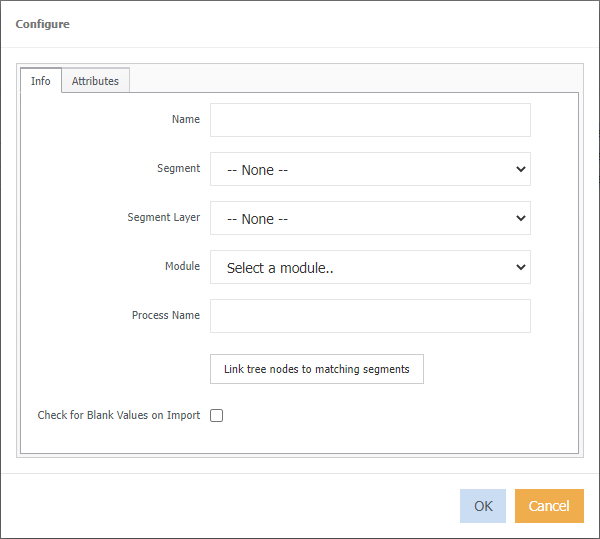
Name - Enter a name that best describes the Tree. This must be filled in.
Segment - From the drop-down box select the Segment for which the Tree is to be based on. If you do not wish to assign the Tree a specific Segment, then leave as "None".
Segment Layer - From the drop-down list choose the layer of the Tree that the Segments are to be added to.
Module - From the drop-down list select which Module the Tree is to be linked to.
Process Name - Name of Generator process used to publish the tree.
Link tree nodes to matching segments - not required on initial creation of tree.
Check for blank values on import - Validates the import file to ensure there are no blank entries.
-
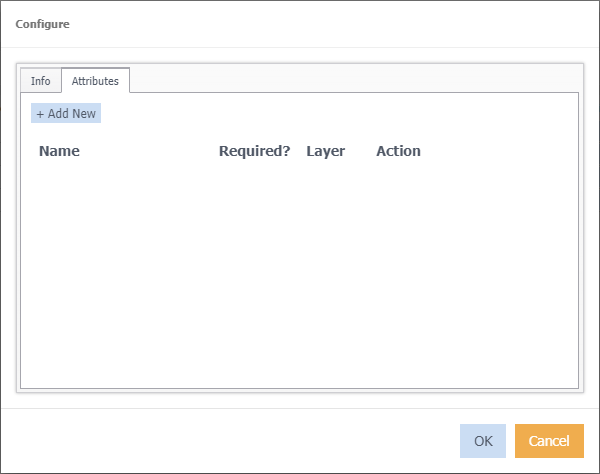
Click Attributes tab.
-
Click
 to begin making attributes.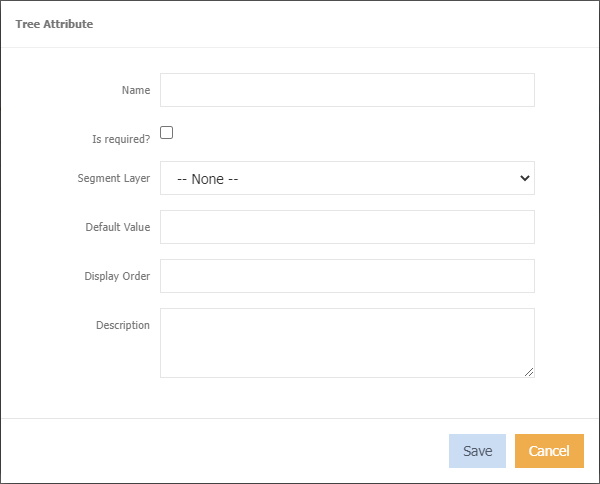
-
Click Save