Tasks / Task Details
Clicking a task will display the details on the right.
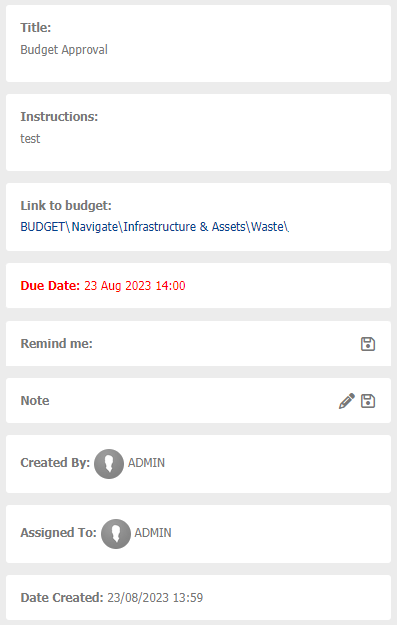
Title - Name of the task. Will show the first 150 characters.
Instructions - Information on what the user is required to do. Will show the first 250 characters.
Link to Budget - Will only show if a budget task is being used. Click the link to take you to the relevant budget.
Due Date - Date when task is due.
Remind Me - Set a reminder for yourself.
Note - Add any comments or notes for yourself.
Created By - Who created the task.
Assigned To - Who the task is assigned to.
Date Created - Date the task was created.
To Set a Reminder
- Click Remind Me
- Click
 to set a date.
 - Click
 to set a time.
 - Click

To Add a Note
- Click

- Enter the relevant details.
- Click