Excel and Word Publisher Configuration
Configure Publisher to use with your MAGIQ Performance data.
-
Choose the 'Application Preference Settings' from the ribbon.
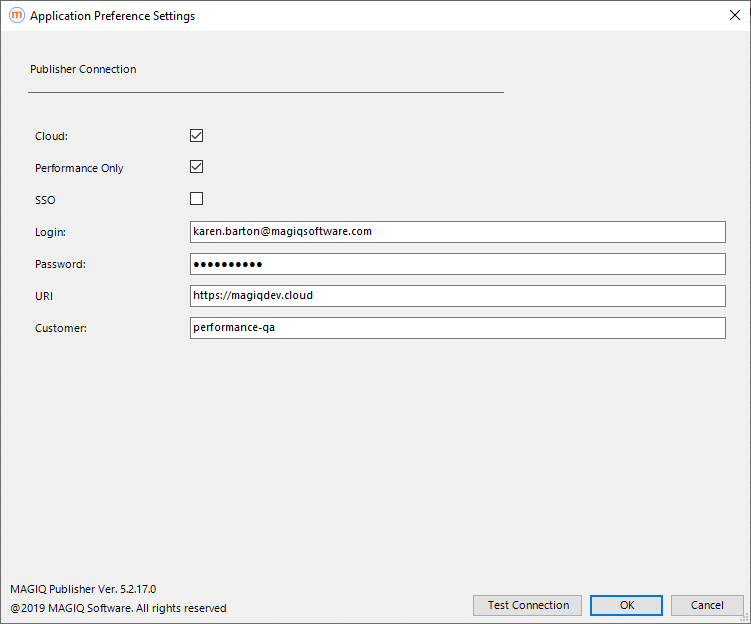
Cloud - Tick if your data is stored in the Cloud.
Performance Only - Tick if MAGIQ Performance is the only solution you use in the Cloud. For example, you do not use Enterprise or Documents in the Cloud.
SSO - For Cloud customers only.
Tick if your site supports Single Sign On (SSO). An 'SSO Customer ID' field will display, this ID is generated by Authy, please ask support or your account manager for this ID.
Login - Enter your email address, this will be your Cloud.
Password - Your password used to access the Cloud.
URI - This will be entered as https://magiqcloud.com
Customer - Enter your Cloud customer name, for example MAGIQ. This will then append to the URI to give the URL as magiqcloud.com, which is what you see in your browser.