Moving Widgets
Widgets can be repositioned or merged within another widget.
Move your mouse over the top of any widget to display  .
.
Repositioning
- Clicking the widget header bar to move will display
 .
. - Drag the window to where you would like it positioned.
- The will indicate where the new position will be.
- Click
 to save your changes.
Merging Widget
Similiar widgets can be grouped/merged together.
- Clicking the widget header bar to move will display .
-
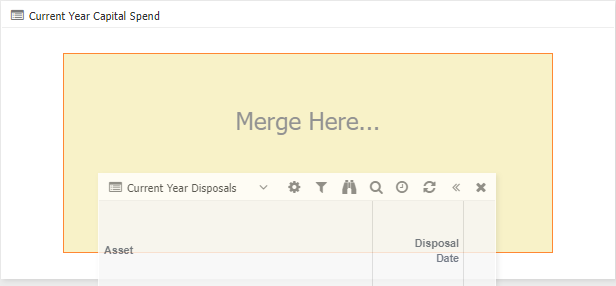
Drag the widget to where it says Merge Here

-
Drop the widget where the Merge Here becomes yellow.
-
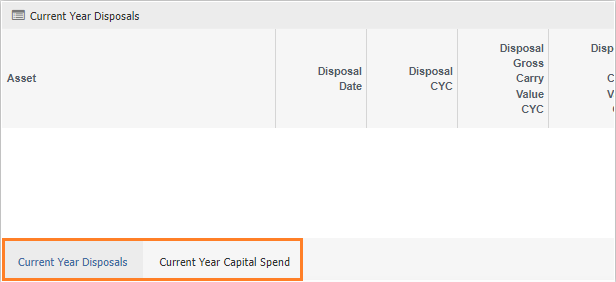
The result is, the widget will have tabs, as per the below example:
-
Click
to save your changes.
To Unmerge widgets
- Click
 in top right hand corner of widdget.
 - Click OK to confirm.