Dashboard / Edit Mode / Settings
- Hover your mouse over the dashboard tab
- Click

- Select Edit mode
- Choose

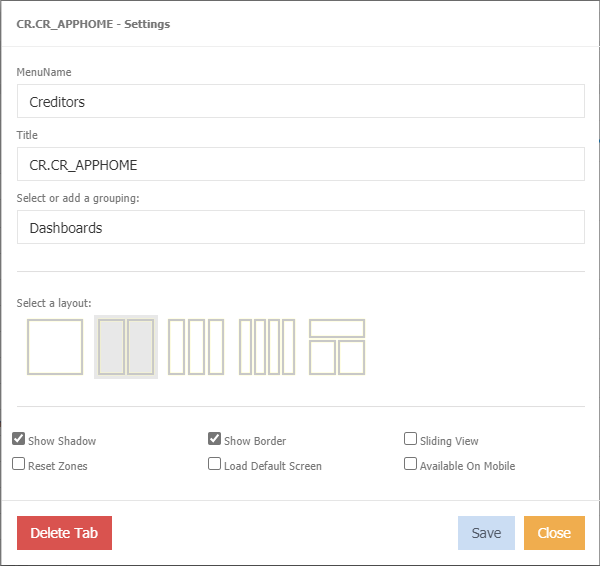
MenuName - Name give at time of creation. Can be changed, if required.
Title - Name given at time of creation. Can be changed, if required.
Select or add a grouping - Grouping assigned at time of creation. Can be changed, if required.
Select a layout - select how the widgets will display.
Show Shadow - ticked by default to show shadowing around the widget border.
Show Border - ticket by default to show a border around the widget
Sliding view - with multiple widget, one widget will be visible per page. A  will display at top. The number of squares is determined by the number of widgets on the dashboard.
Reset Zones -
Load Default Screen - tick to load the last saved layout.
Available on Mobile - tick to display on mobile app.
Delete Tab
Selecting this will delete the tab from the function side bar menu.