Modeller / Clear Budget Names
Delete/remove all data out of an existing budget name.
 refresh screen.
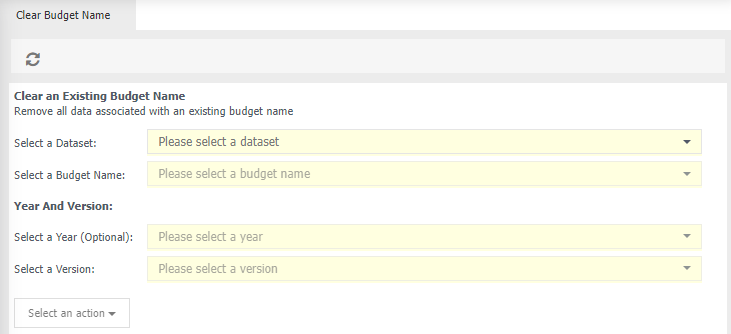
Clear and Existing Budget Name
Select a Dataset - choose the relevant dataset which contains your budget, for exmaple General Ledger.
Select a Budget Name - select the name of your budget.
Year and Version
Select a Year (optional) - choose which year of the budget you wish to export.
Select a Version* - if available, choose a relevant version.
Select an action - choose from:
Clear Budget Name - when you next view this budget name there will be no amounts in any of the budget name's columns.
Clear Budget Approval Status - clears all budget approvals for the budget name selected in Select A Budget Name.
Clear Budget Audit - clears the Budget Audit data for a selected budget. This option will only be displayed if Budget Audit is active.