Modeller / Budget Export
Export your budgets into an Excel spreadsheet. This may be required for loading the budgets into your financial system.
 refresh screen.
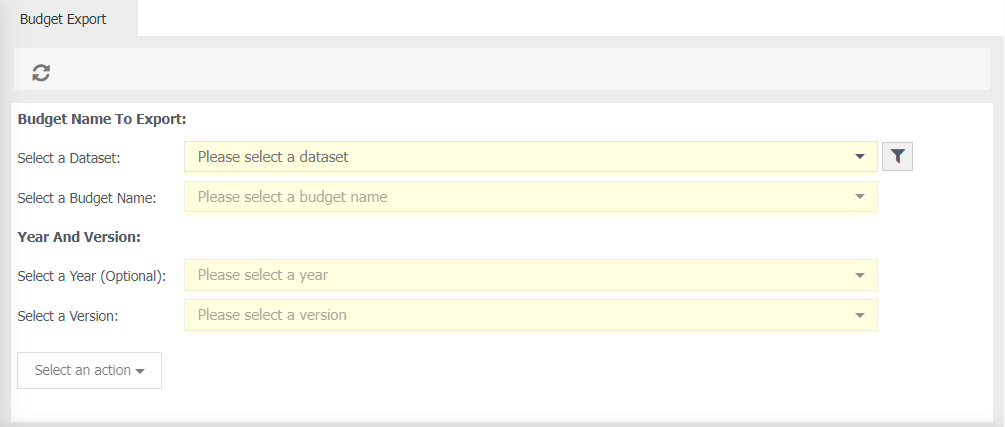
Budget Name to Export
Select a Dataset - choose the relevant dataset which contains your budget, for example General Ledger.
 Filter (optional) - select a particular layer to export.
Select a Budget Name - select the name of your budget.
Year and Version
Select a Year (optional) - choose which year of the budget you wish to export.
Select a Version - if available, choose a relevant version.
Select an action - choose 'Export to Excel'.
Exporting your Budget
- Select the relevant information from the fields above.
-
When the export is completed, a notification message will display with a download link. For Example:

-
Click Click to Download
- Excel will automatically open.