Administration / Global Settings
Global settings affect all users.
 Save.
Save.

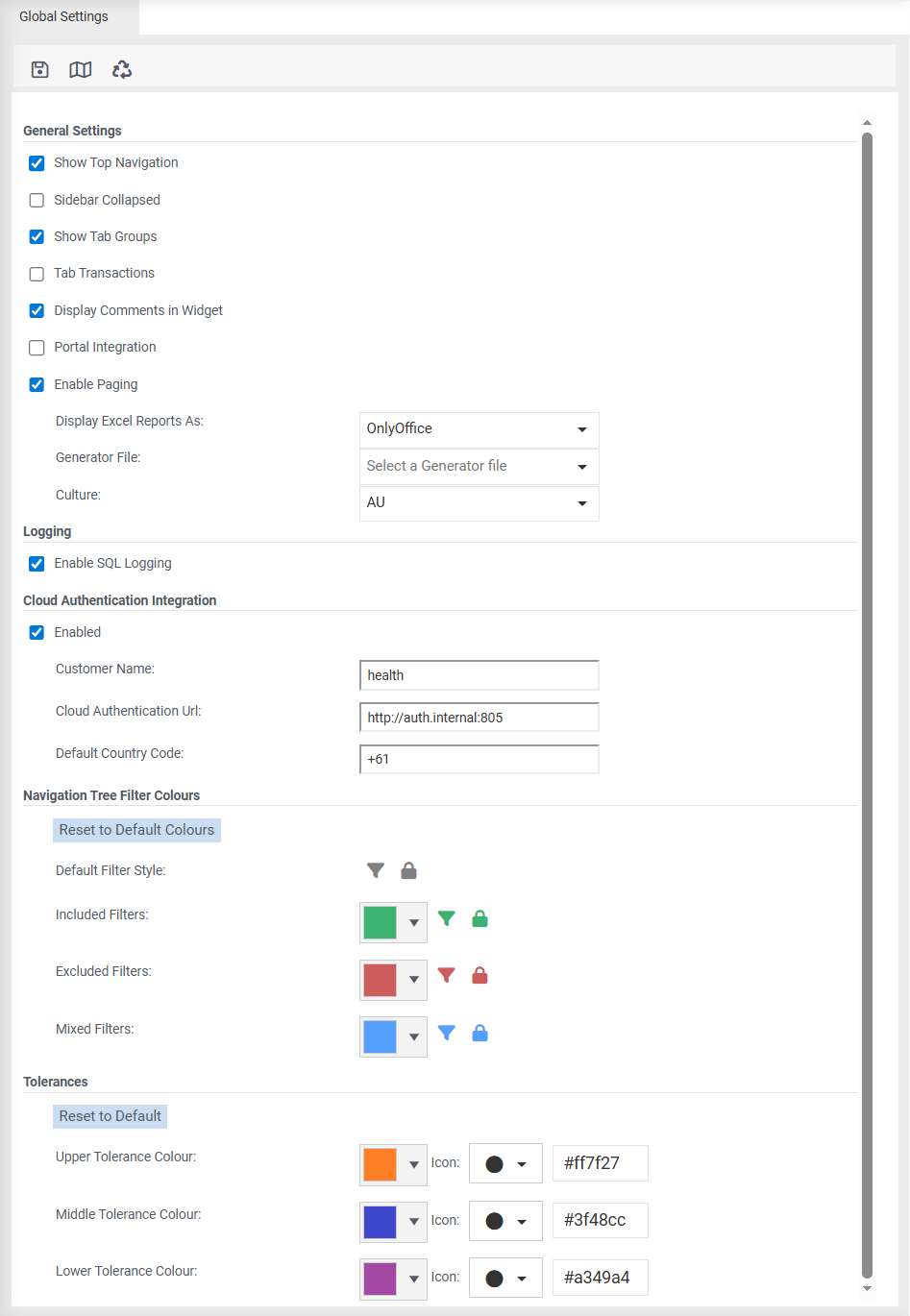
 Clear Cache - Clears the server side cache for the customer (including all users).
General Settings
Show Top Navigation - ticked by default. Unticking hides the logo, system logs icon and your login name.
Sidebar Collapsed - The functions menu will be collapsed.
Show Tab Groups - ticked by default.
Tab Transactions - tick to display transactions in a transactions widget.
Display Comments in Widget - tick to display comments in a comments widget. Unticked will show the comments in a modal window.
Portal Integration -
Enable Paging - Used for 'Transactions' to ensure that large volumes are not displayed at once. Refer to Configure Transactions
Display Excel Report As: - select either Spreadsheet, HTML or OnlyOffice. HTML is the default. HTML is limited to 1000 rows when opening an excel report due to length of time to open.
Generator File: - select from the list of datasets.
Culture - select either AU for Australia/New Zealand or US for American Customers. This will ensure that the home tab widgets of tasks, notifications, and recent reports are in the correct date format.
Logging
Enable Logging - tick to turn logging on. Select type of logging from the 'Logging Level' drop down.
Logging Level: - Choose one of the following to log events that are occuring:
Debug - this capturing SQL queries run.
Information - display a list of SQL queries run.
Warning - display a list of warning messages.
Error - displays a list of error messages.
Fatal - displays any fatal error messages.
Cloud Authentication Integration
Enabled - ticked by default.
Customer Name: - name of your site.
Cloud Authentication URL: - cloud URL eg magiqcloud.com
Cloud Authentication Integration
Default Country Code
Navigation Tree Filter Colours
Change the colour of filters to suit your requirements.
-
Filter logic
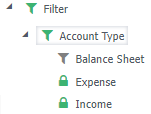
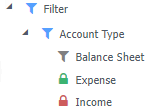
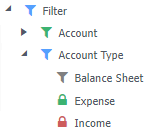
Changes to the logic around setting colouring for parent nodes, the colouring of the filters now travels up the tree to the root node. It maintains the same rules as the direct parents (eg. if all filters as "include" then it will use the include colour from Global Settings).
All filters are set to include:
Some filters are "include" and some are "exclude":
Mixed filters inside the layer:
Tolerances
Change the colour or specify an icon for tolerance levels to suit your requirements.
Enterprise Mapping
Configuration between Enterprise and Performance.
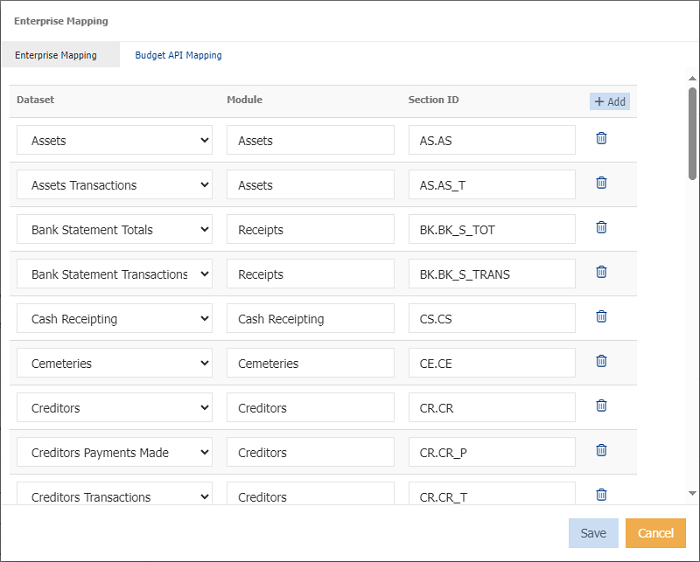
Enterprise Mapping - Map Enterprise modules to their relevant dataset.
Budget API Mapping - Set the year and version Enterprise uses to get budget data