Budget Information / Budget Names
Budgeting is parameter driven based on rules you set as a System Administrator.
The System Administrator can set an unlimited number of budget configurations. For example, you may wish to setup Draft Budget No. 1, Draft Budget No. 2, Next Year Budget,
Adopted Budget etc. Of course, you are not restricted to using Budgeting for budgets only. Forecasts can also be created and saved in the same way.
You may wish to create say "End of Year Forecast at March".
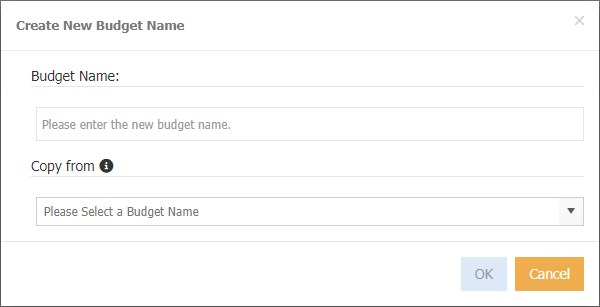
 create a new budget.
 displays when clicking on a budget name to delete.
Each budget has the following items:
Creating a new budget
Tip
As there is quite a bit of complexity in creating a budget, you are best to get assistance from a Consultant.
-
Click
-
Enter a budget name.
- Click Ok
- MAGIQ Performance will refresh and you will need to navigate to it.
- You will now need to create necessary fields, etc.
Copying an existing budget
-
Click
-
Enter a budget name.
- Select the budget that you wish to copy from.
- Click Ok
- MAGIQ Performance will refresh and you will need to navigate to the new budget.
Deleting a budget
- Select the budget.
- Click