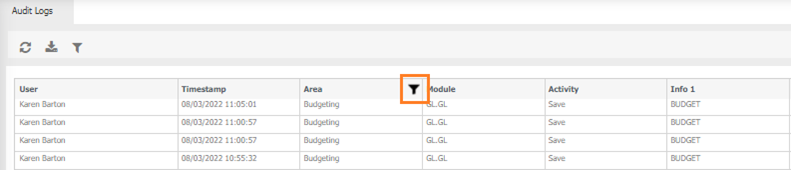
System / Audit Logs
MAGIQ Performance keeps track of permission changes. Activities are logged and stored in the database. Log entries are created whenever menu item permissions are added or deleted for users/roles. At this stage, the audit logs are created for data access and menu item permission, and Budget Entry.

User - who made the change.
Timestamp - when the change was made.
Area - where the change was made, for example Permissions, budgeting etc
Module - what has changed, eg Menu items, data access, dataset code etc
Activity - was the item added, deleted etc
Info 1, Info 2, Info 3, Info 4 and Info 5 - These fields contain different information depending what has been logged.
 Refresh - Refreshes the screen.
 Export - Select a date range to Export to excel for further manipulation.
 Filtering - filter a particular column.
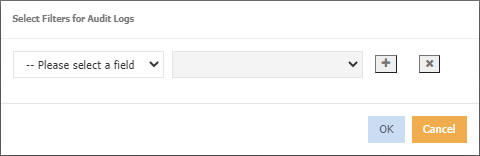
 Multiple filters can be applied.
 Remove a filter
- Choose an option from the --Please select a field drop down.
-
Based on the option chosen, select a value from the - Please select a value drop down, for example
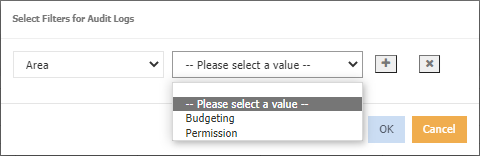
-
Click ok, the results will be displayed, A filter icon displays in the header, for example